The Bible reading plan adds a one of 5 different reading plans to your site.
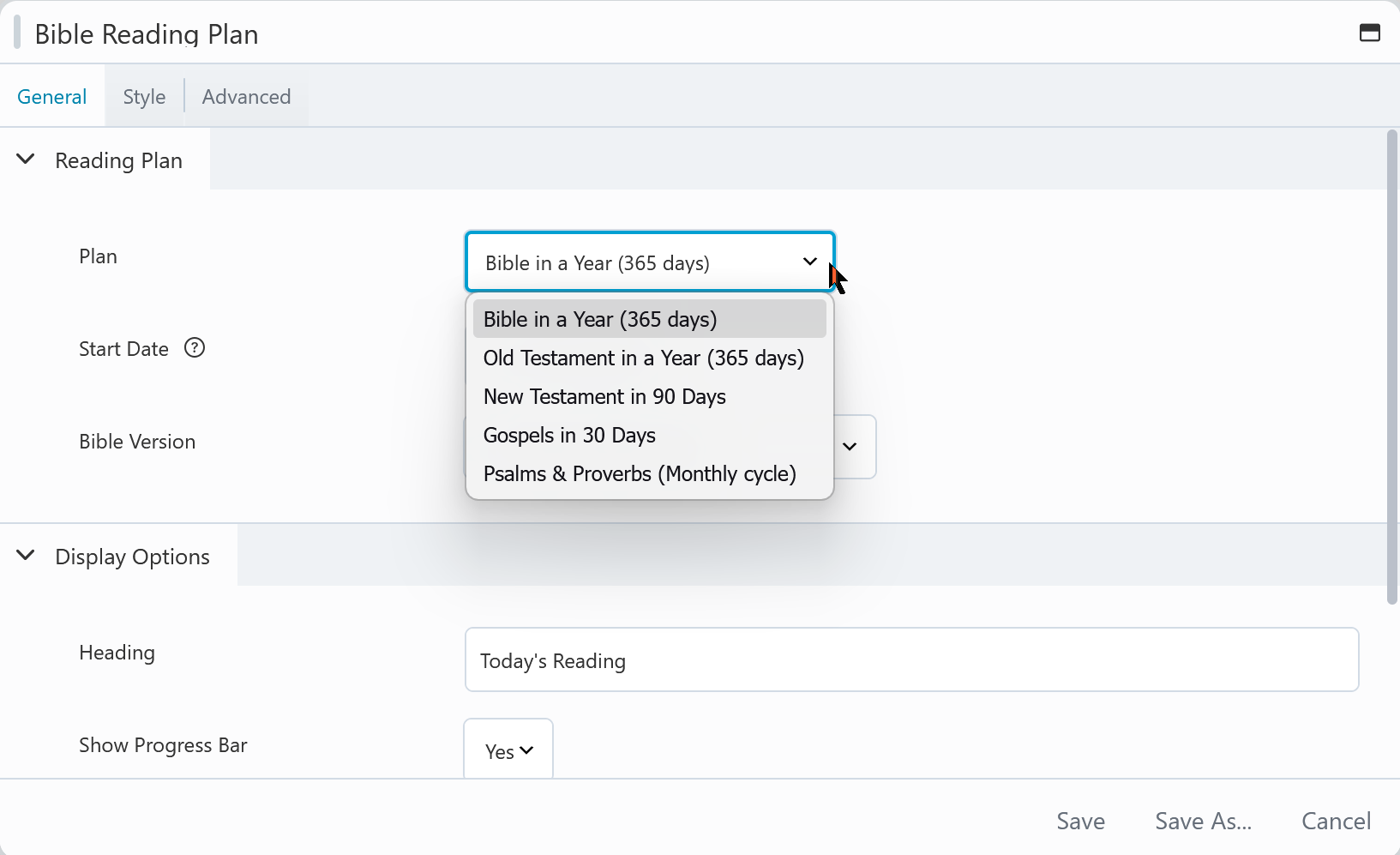
- Bible in a year
- Old Testament in a year
- New Testament in 90 days
- Gospels in 30 days
- Psalms & Proverbs in 30 days
The readers progress is saved as they read so next time they visit it'll show their progress and keep their place so they know where to start reading.
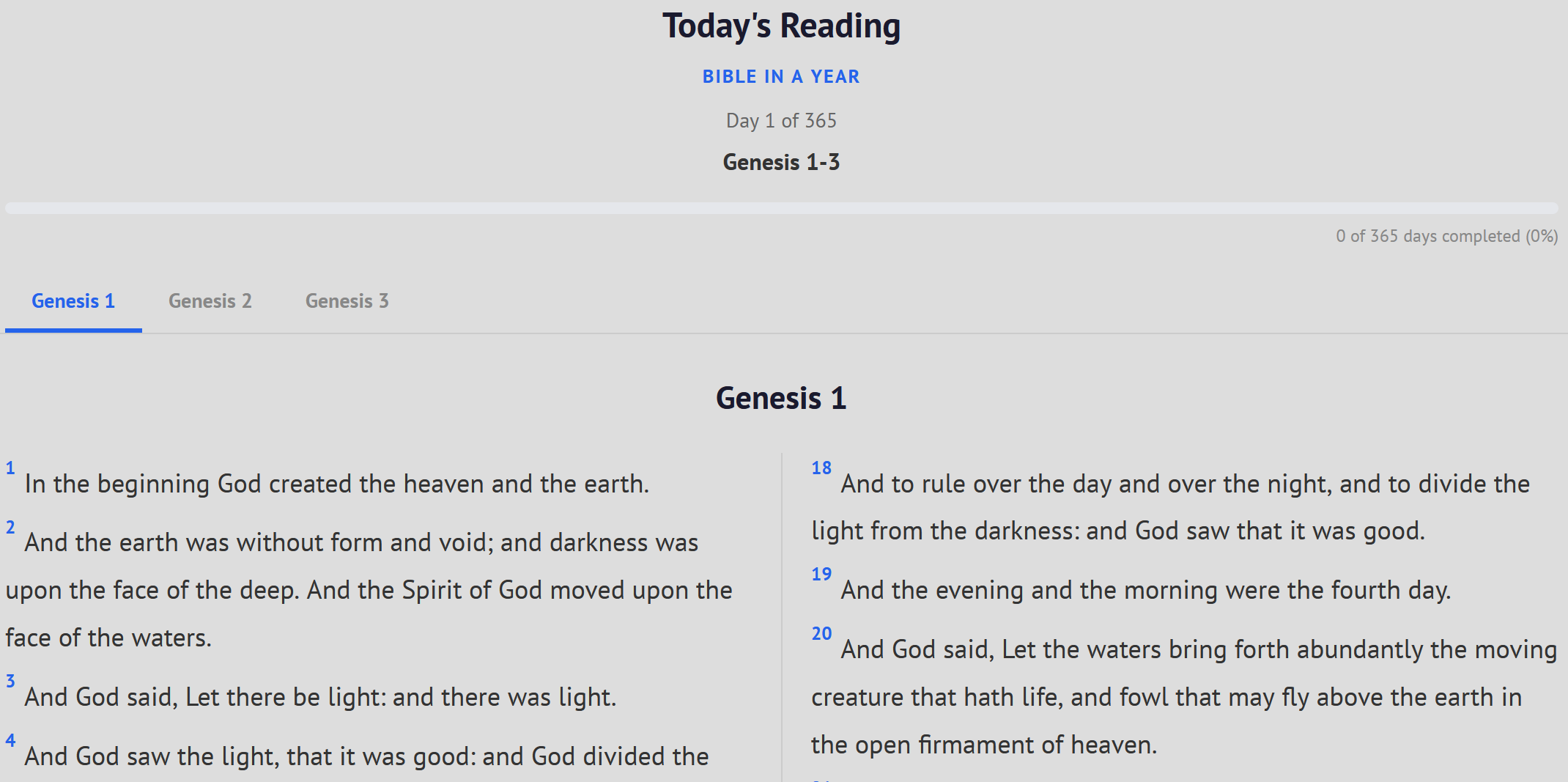
1
- Activate the page builder click the + at the top right and look for Bible reading plan. (use the search at the top or scroll down).
- Drag and drop the Bible reading plan module onto the page where you'd like the bible reading plan to show.
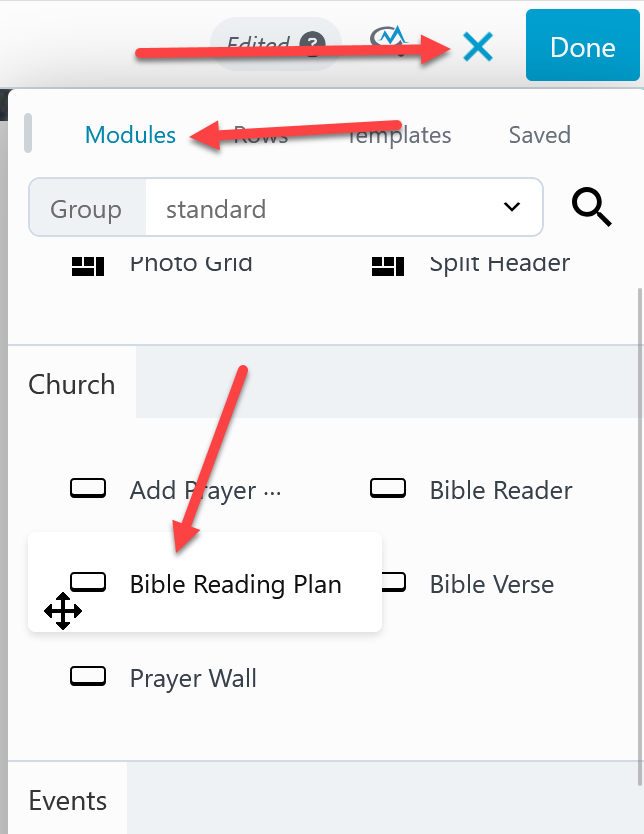
2
When you drop the module onto the page the settings will open. On the general tab the first option is which of the 5 reading plans would you like to add to the page.
Look over the other options on the general tab.
Like all modules click the style tab to change colors and font styles.

 Add your logo in the admin