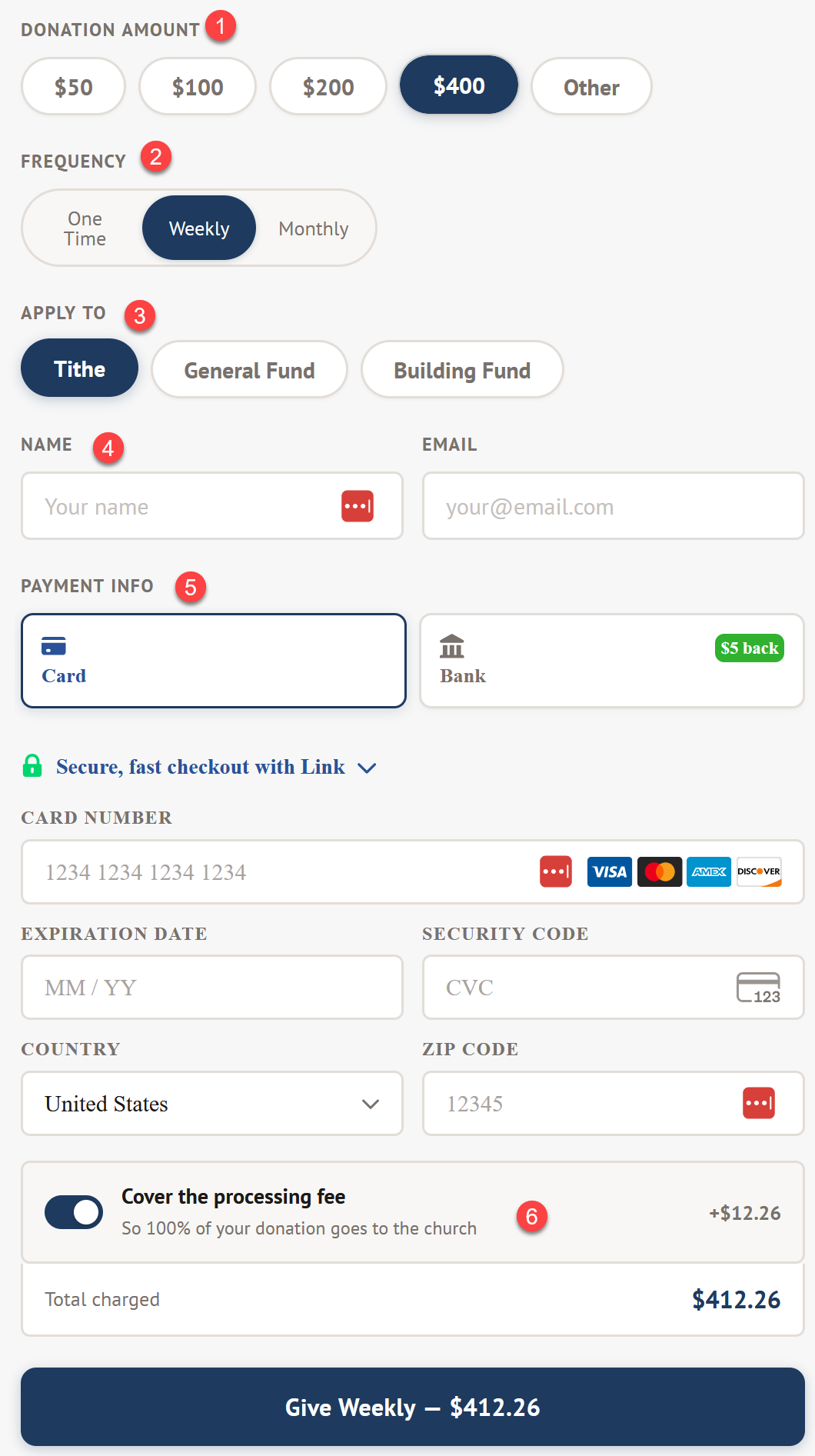
ChurchDev Giving includes a new modern donation form.
- Donation presets so donor can make one click to select ann amount or clock other and enter amount they want. You set the presets to any number you want.
- One click to select frequency. The default is weekly but you can change that as well.
- Choose a fund to apply to. Again you set the funds you want here. If you only have tithe this will be removed compleatly to clean up the form.
- If the person is logged in (ChMS Directory) their name and email will be auto filled.
- Payment options will veary depending on the device. For example if you are on an apple phone apple pay will be an option.
- Cover the processing fee caculates the transaction fee and give the person donation the option to pay the fee.
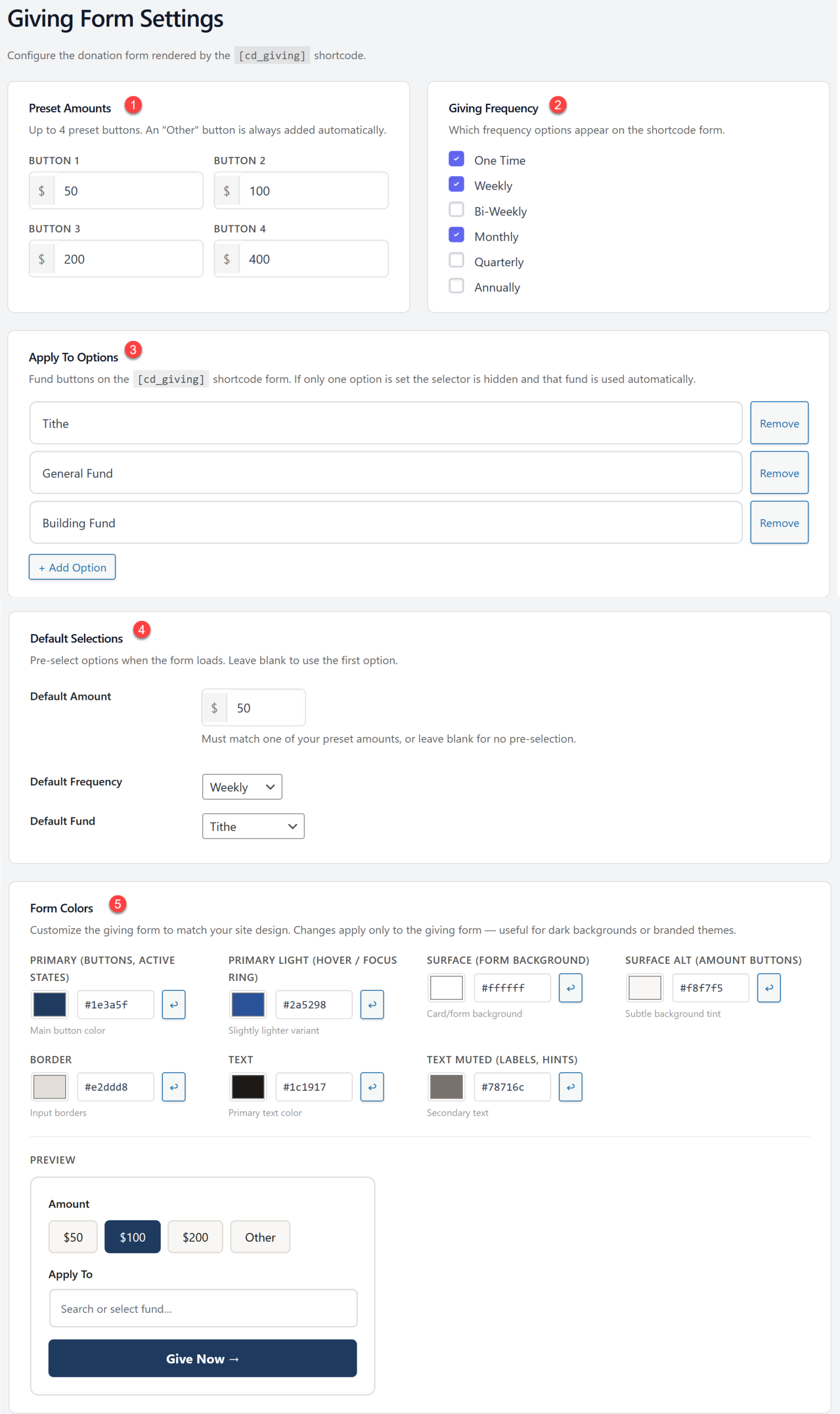
Manage the form from the admin area of your site at online giving > form settings
- Preset Amounts - Set up to 4 preset amounts here.
- Giving Frequency - Select any of the available frequencies you'd like to allow here.
- Apply To Options - Add any funds you need here. If you only have one the option will not show on the form. All donations will be applied to the single fund.
- Default Selections - This sets the default selections on the donation form. If you'd rather it default to one time rather then monthly and $50 rather then $400 you can set that here.
- Form Colors - allows you to customize the colors used on the form to better match your site.

 Add your logo in the admin