1
If you are in the admin area click view site at the top to go to your home page.

2
To edit the header click "Edit Header" At the top right of the header.

3
Put your mouse on the row then at the top left go to the settings icon and click row settings.

4
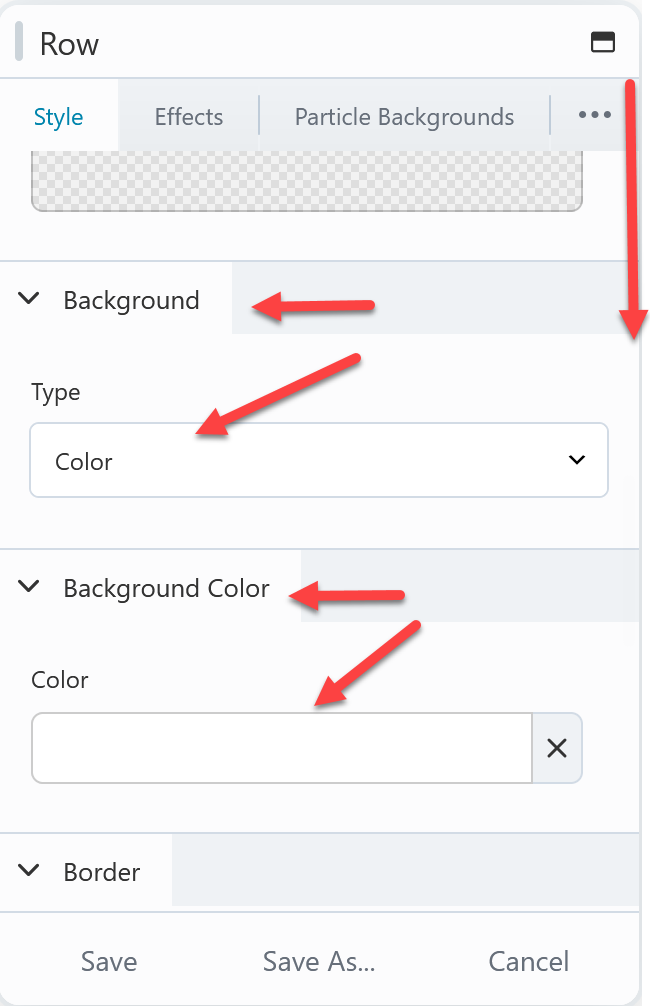
In the row settings window, scroll down looking for the background options. If you want a solid background color choose color for the type then below that select the background color you like.
Note: Every row on every page of your site works the same way as this row. So you can change the background color on any row the same way.
5
At the top right click done then publish and it's done.


 Add your logo in the admin