Automatically Import Sermons from YouTube
Save time by automatically importing sermon videos from your YouTube channel directly into your website’s sermon library. No duplicate uploads required.
Import Sermons from YouTube
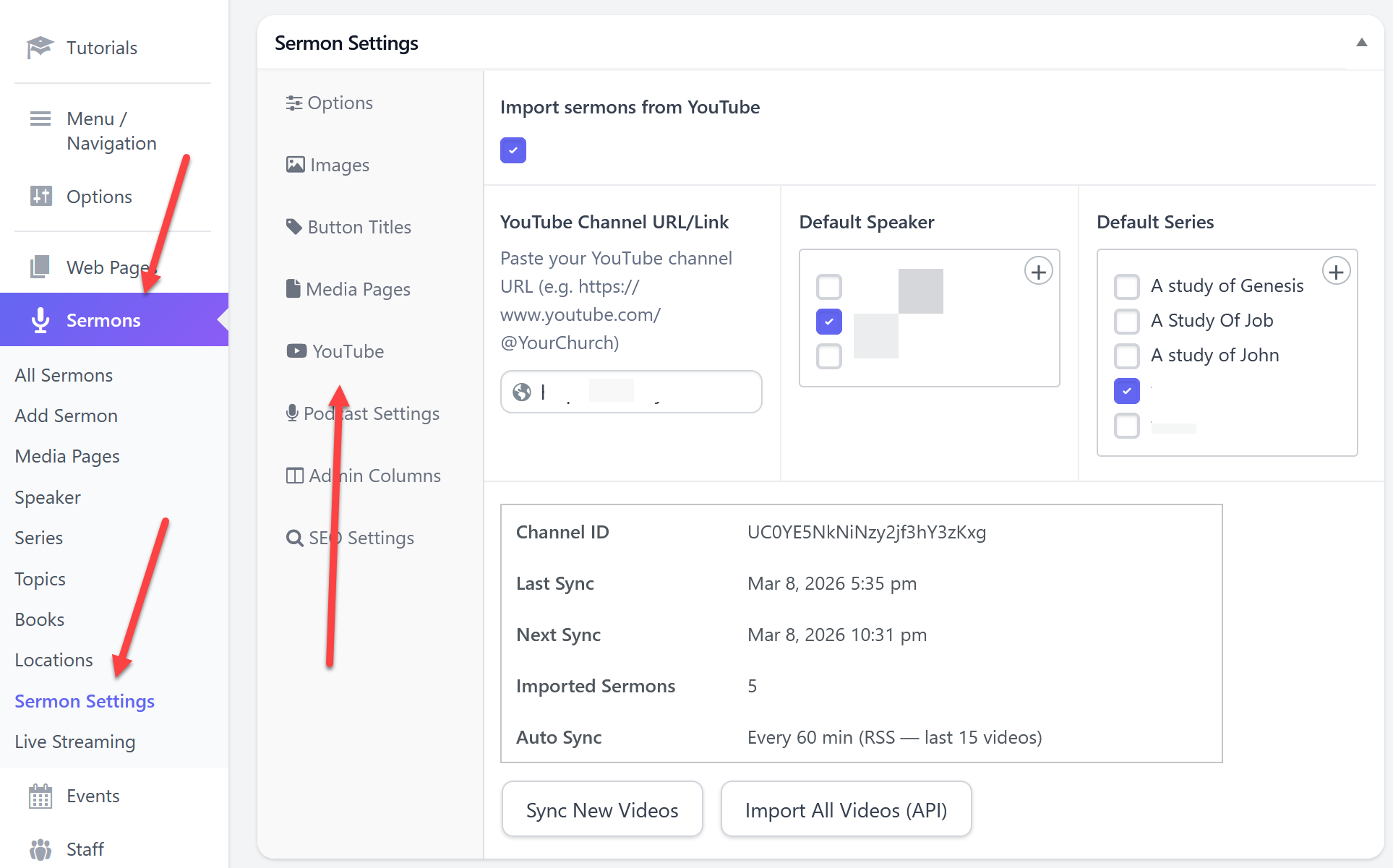
- Go to Sermons > Sermon Settings and click the YouTube tab.
- Check the box to Enable YouTube Imports.
- Paste the link to your YouTube channel.
- (Optional) Select a Speaker and Series to assign to imported sermons.
- Click Update to save your settings.
After saving, you will see two import options:
Sync New Videos
This will check your YouTube channel and import the latest 15 videos if they do not already exist on your site.
Import All Videos
This will import all videos from your YouTube channel. This option uses our shared YouTube API key and should only be used one time to bring in your existing videos. Because the API has usage limits, excessive use may require us to remove this option.
Once configured, the system will automatically check your YouTube channel every hour and import any new videos it finds.

 Add your logo in the admin